
Exaviz Management 1.1: Remote Access, OpenMediaVault, and Reboots That Tell the Truth
Exaviz Management 1.1 adds Tailscale and WireGuard remote access, fleet pairing across networks, OpenMediaVault on Interceptor, and honest reboot reporting. Still free forever.
Exaviz Management 1.1 is out. It is still free forever, with no subscription at all, and it still runs on the board, on your own network, with no Exaviz account. Versions 1.1.0 through 1.1.3 add remote access, a storage option for Interceptor, and a fix for a reboot screen that could mislead you.
Remote access over your own Tailscale or WireGuard network
Remote access is opt-in and sends nothing to us. When the Remote Access card shows Needs sign-in, paste a Tailscale auth key and the board joins your tailnet. The key is used once and is not kept. The field appears only when you open the dashboard over HTTPS, and not on the kiosk screen.
Once connected, the card shows the board’s tailnet addresses, the key expiry date when the key has one, and a link that opens the dashboard over Tailscale. The board warns you 30 days before the key expires, raises a critical alert at 7 days, and alerts again when it has expired. Each WireGuard interface shows how long ago its last handshake was.
If your tailnet has HTTPS Certificates turned on, a switch on the card serves the dashboard with a certificate browsers trust. That name is published in the public Certificate Transparency logs, so rename the machine first if the name should not be public.
One fleet view across networks
Boards on different networks can now pair and appear in one fleet view over Tailscale or WireGuard, as long as every board is on the same network. Use Pair by address; both boards need 1.1.0. That network’s own access rules decide who can reach each board’s login page.
Integrators can see boards from several sites in one place, and a homelab can reach a board over its own tailnet. Sessions also got easier: a notice offers Stay signed in before a 24-hour session ends, up to 7 days from sign-in.
OpenMediaVault next to the dashboard (1.1.2)
On a board running Debian 13, OpenMediaVault 8 can now run alongside Exaviz Management. The dashboard keeps ports 80 and 443, and OpenMediaVault’s web interface moves to port 8080 or the next free port. Storage shows the port and links to it, and drives OpenMediaVault mounts appear in Storage where you can browse and download files. Upload and delete are refused on those drives. This was tested on Interceptor only. Install OpenMediaVault first and read the OpenMediaVault page before you start.
Reboots that tell the truth (1.1.3)
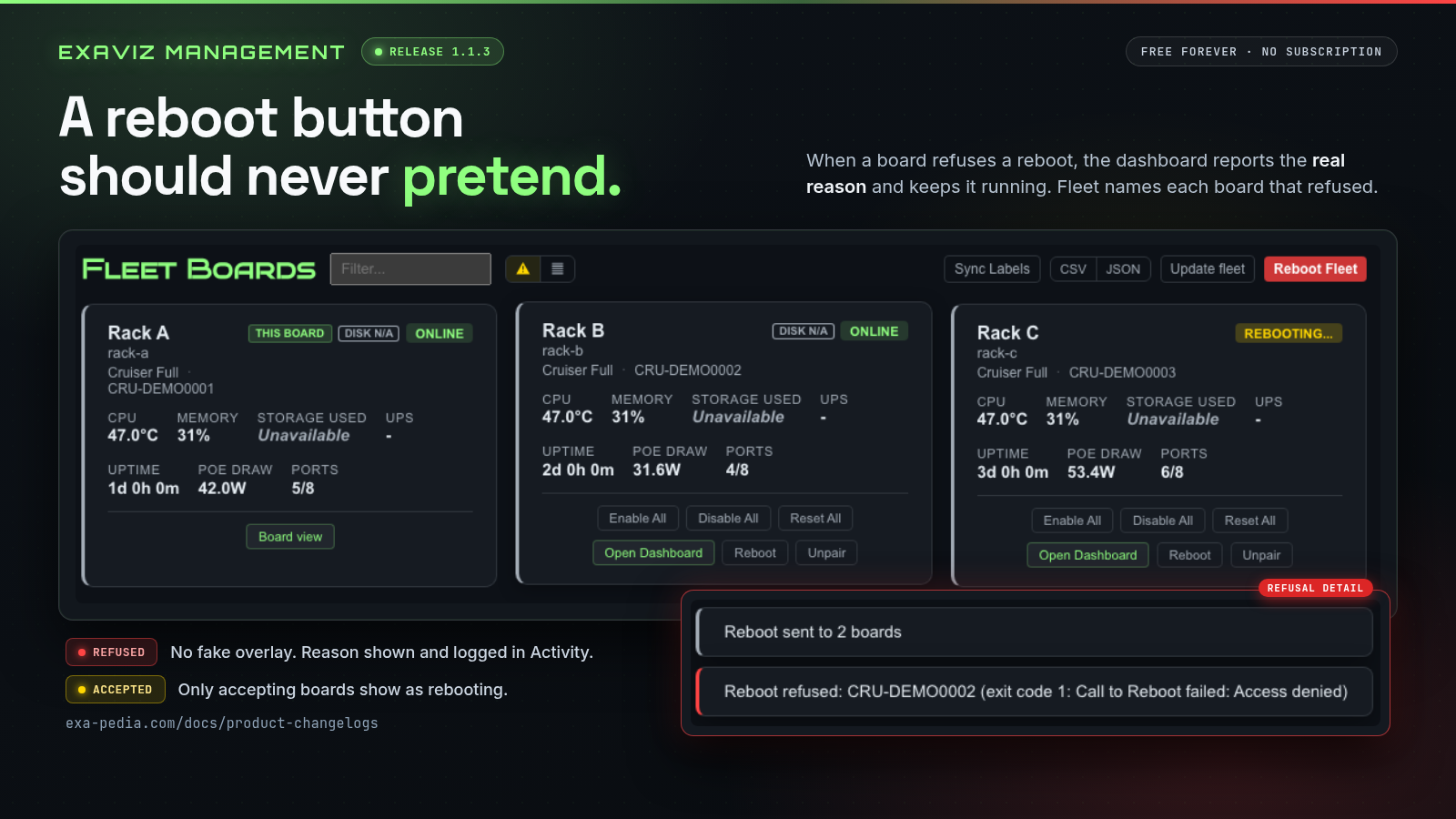
Before 1.1.3, a refused reboot still showed the reboot overlay and waited for a board that was never going down. Now no overlay appears. A red message gives the reason, the board keeps running, and the Activity log records it. Fleet reboots name each board that refused, with its reason, and only the boards that accepted show as rebooting. Both boards need 1.1.3 for a fleet refusal to show.
Smaller changes (1.1.1)
Signing out now clears the page even when the board does not answer, with a warning that the sign-out may not have reached the board. Service files you edited in /etc/systemd/system are kept on update. The dashboard’s web libraries are updated to current releases.
Home Assistant
The Home Assistant plugin 1.4.0 and 1.4.1 let Home Assistant on another computer add a Cruiser over your network. Home Assistant pairs with the board’s Exaviz Management over HTTPS and you compare the certificate fingerprint. Interceptor boards cannot be added over the network yet.
Update
sudo apt update
sudo apt install --only-upgrade exaviz-management exaviz-management-kiosk
New installs follow the install guide. Version-by-version details are in the product changelogs. You can also try the live demo in your browser, with simulated hardware and no board needed. More on Remote Access, OpenMediaVault, and Home Assistant on another computer.